Tonnage while you draw
I estimate steel for a living, and this is the part of Excalibur View I built first. Every tool carries its own unit weight, so a measured W12x26 is pounds the moment you finish the line, not a length you look up later.
Download Excalibur View free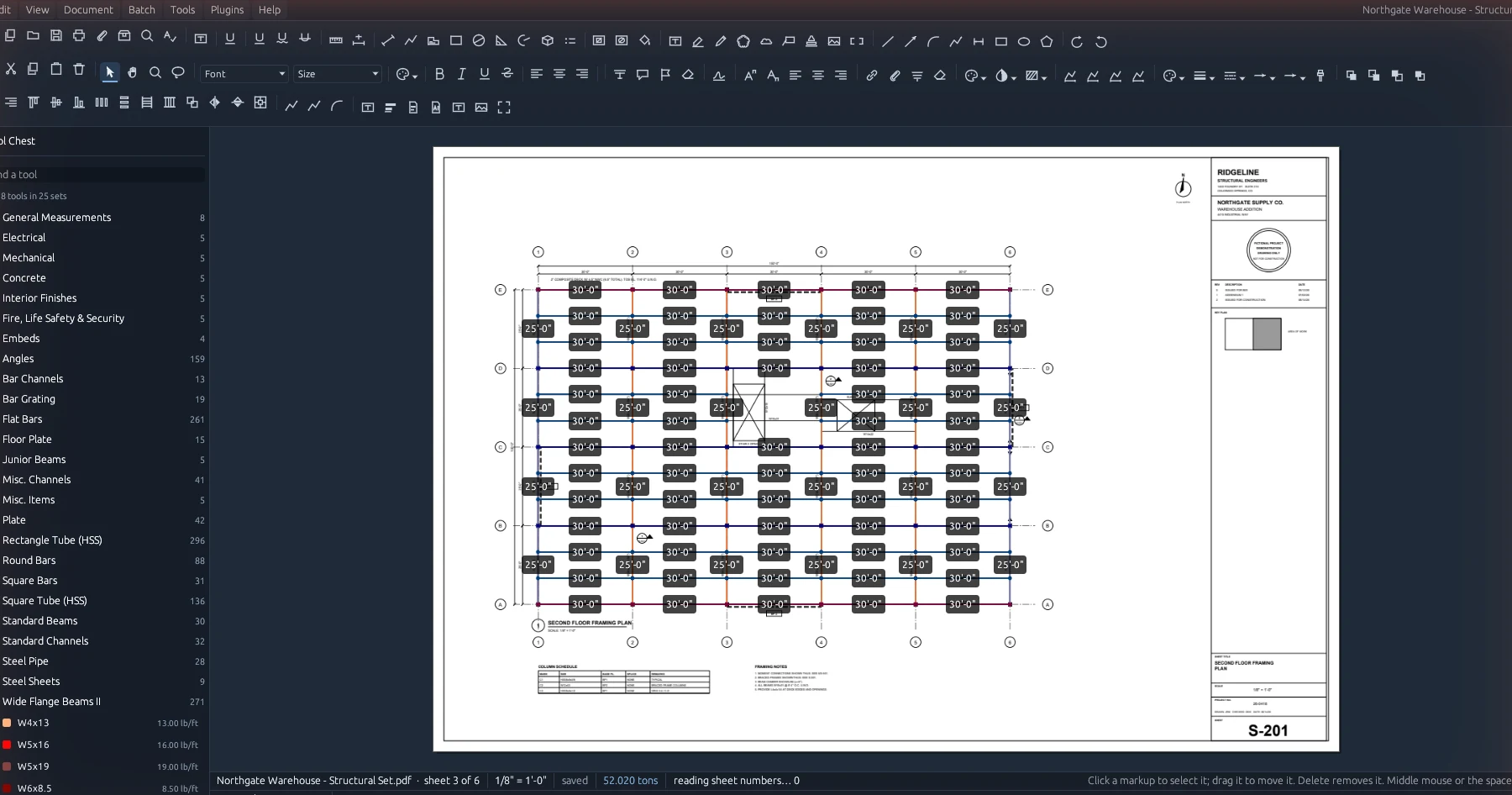
How a length becomes tons
A beam is its length times the weight per foot in the tool, times the quantity. Plate and grating are area times the weight per square foot. Tons are pounds over 2,000. The total sits on the status bar and moves as you measure.
Nothing is guessed. The weights come from your tool chest, never from a table the program looked up on its own. A tool with a blank weight isn't treated as weighing nothing. A sheet with no scale is left out of the totals and the status bar says so, because a number that is quietly wrong is worse than no number when somebody prices a job with it.
Set the scale from Set Scale… with the usual architectural and engineering scales listed, or calibrate against a dimension on the sheet. Measure with length, polylength, area, perimeter, count, volume and angle, with cutouts for openings.
On the marked-up test set I check every release against, 46 picks across two sheets at different scales come to 26,340 lb, or 13.170 tons, and every caption matches what Revu wrote for the same markups.
The markups list
Everything you measured, added up the way you want to see it.
Drag up the bar along the bottom of the window and every markup is there, on this sheet, this drawing or every open drawing. Group it by subject, sheet, label, type, author, status, colour or drawing, and each group shows its own count, length, area and tons. Your chest's own columns show up by name.
Export writes what's on screen to Excel, with one sheet of every markup and one of what each group comes to. CSV, a PDF summary, XML, a web page, and JSON shaped like Bluebeam's markup list are there too.
A cut list, not just a total
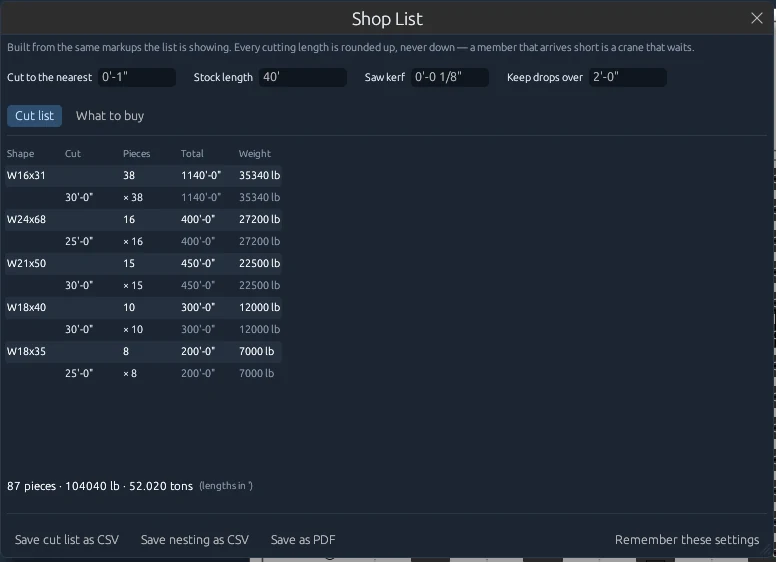
Document → Shop List turns the takeoff into what the shop needs. It groups the pieces by shape, rounds each one up to the cutting length you set, and counts how many of each. The heaviest shapes come first and the longest cuts first within them, each with its grid location.
Switch to What to buy and it nests the cuts into your stock length, allowing for saw kerf and keeping drops over the length you name. It won't pick a stock length for you. A nesting that guessed would be one that ordered the wrong steel.
Save the cut list or the nesting as CSV, or the whole thing as a PDF. Plate and other area takeoff stay off it, since a saw doesn't cut an area.
The shapes
Excalibur View ships with no tools, because whose weights to trust is your call.
If you already have a chest in Revu, load the .bpx or .btx and it keeps your weights exactly. How importing works.
If you'd rather not build one, the structural steel chest has 2,485 shapes in 27 sets, from wide flange to grating, each with its unit weight. It's $149, priced per company rather than per seat. The trade tool chests.
Either way, the Office server shares it with every seat, so the whole office bids off the same numbers.
Run your next bid through it
Free for one estimator, on paid work, with no expiry.